One Solution. All the Features You Need
No unnecessary tools. No bloated stacks. Just one clean, powerful platform with everything you need to deploy, manage, and scale virtual environments with confidence.
Virtual Environment Creation
Build, configure, and control isolated virtual environments with ease and speed.
Live VM & Storage Migration
Move virtual machines and storage in real time—zero downtime, zero disruptions.
Built-in Security Framework
Enjoy top-of-the-line protection across every layer of your virtual infrastructure.
Nested Virtualization Ready
Run virtual machines inside virtual machines—for more complex workloads.
What kind of virtual environment do you need—virtual storage, applications, networks, or desktops? With VMX, you get everything in one powerful, easy-to-use solution designed to handle all your virtualization needs.
Get started| Features | Community | Core | Business | Enterprise |
|---|---|---|---|---|
| VM Management | Limited GUI+ CLI | Limited GUI+ CLI | GUI+ CLI | GUI+Automation Tools |
| Number of VMs Supported | 2 VMs | 4 VMs | 8 VMs | Unlimited VMs |
| CPUs – Sockets | 1 | 2 | Unlimited | Unlimited |
| RAM Supported | 16 GB/VM | 32GB/VM | Unlimited | Unlimited |
| Snapshots | Not available | Not available | Automated + Scheduled | Automated + Scheduled |
| VM Replication (on-demand) | Not available | Not available | Available | Available |
| Networking | NAT Only | Bridge, Teaming | Bridge, Teaming, VLAN | Bridge, Teaming, VLAN |
| Passthrough (CPU/USB/PCI) | Not available | Not available | Available | Full support |
| Monitoring & Logging | Not available | Basic logs | System-level logging, VM Monitoring | Real-time analytics, System-level logging, VM Monitoring |
| Security Features | Not available | Basic Config | Advanced Config | Advanced Config |
| Integration & Automation | Not available | None | Basic, nBalance WAF & LB | Basic, nBalance WAF & LB, G-Immute |
| Support | Not available | Community Support | Email, Remote | Priority Support |
Your virtual infrastructure is only as strong as its defences. VMX is engineered with layered, built-in enterprise-grade security features that protect your workloads, data, and users.
SECURE BOOT & TPM SUPPORTS
Hardware-enforced integrity powered by Secure Boot and TPM support.
GRANULAR FIREWALL CONTROLS
Control traffic at every level by configuring firewall rules per VM.
CUSTOM SECURITY POLICIES
Tailor access, isolation, and usage policies to fit your team structure.
LOAD BALANCER & WAF SUPPORT
Integrate with nBalance Load balancer and WAF.
AUDIT LOGS & TRACKING
Track system changes, user actions, and VM events in real-time.
IMMUTABLE BACKUP SUPPORT
Immutable backup Support. Create tamper-proof backups with G-Immute technology.

Your infrastructure should move as fast as your business. VMX ensures that it moves as fast as it needs to move. Keep your workloads fluid, flexible, and always available to perform at their optimum with HotPlug support and Live VM & Storage Migration.
Learn more →
No Advanced
Infrastructure? No Problem!
Designed to deploy seamlessly on everything from the most basic local machines to the most complex systems, VMX is equipped to take you from zero to full-stack virtualization without the usual heavy setup.
Get started
Engineered for
Simplicity
Intuitive Dashboard
All your essential controls in one sleek, centralized interface.
Minimal Learning Curve
Designed for fast onboarding and quick team upskilling.
Clean System Architecture
Designed for easier updates, scaling, and troubleshooting.
Ready-to-Use Templates
Launch VMs instantly with preconfigured OS and resource profiles.
Seamless Integration with Third-Party Tools
Whether you are using external monitoring, WAFs, or backup platforms, VMX fits right into your existing ecosystems, empowering your infrastructure with greater flexibility, compatibility, and control.





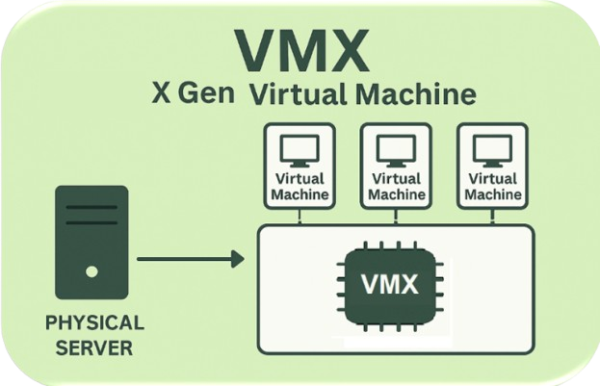
How VMX Works
Built on the Linux kernel, our virtualization solution works by launching and managing virtual environments on dedicated virtual hardware. It takes just four simple steps:
Why choose VMX?
VMX is all about performance, security, scalability, and cost efficiency. With this virtualization solution, we offer our customers virtual machines of the future.
Get Started ↗Near-native speeds thanks to integrated hardware acceleration and security technology nBalance.
A virtualization solution that supports automation, live migrations, and multiple-platform compatibility.
Immutable, sandboxed backups that guarantee data safety with proprietary technology G-Immute.